menu 1
menu 2
menu 3
menu 4
menu 5
menu 6
 

MODEL 100, 100B, AND 100HC NETWORK DEVICES
PRODUCT LIST > i100 >

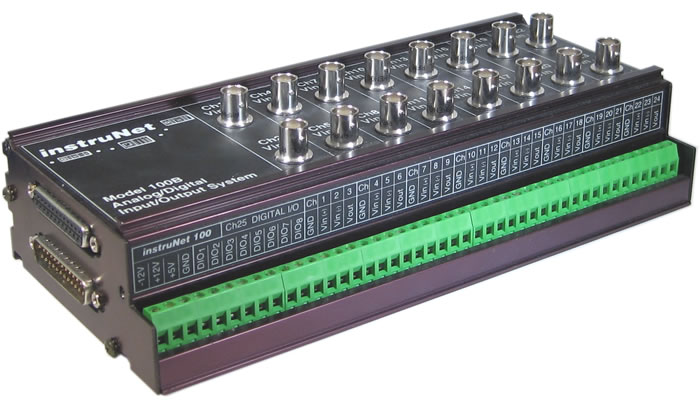
Click on image to enlarge

Features
i100 Product Summary
instruNet Product Family Overview

Specifications
Specifications for i100
Thermocouple Accuracy with the i100

Compatible Sensors and Controls
Compantible Sensors

Product Information
i2x0 and i100 Maximum Sample Rates
Sample Rate Vs. Integration Time Vs. Noise
Outputs After Power On or Reset
Software Calibration Options
i100, Driving Current and Capacitance w/ Voltage Outputs
i100, Noise Performance
i100, Stability and Drift
i100, Environmental Considerations
Photographs of Typical i100 Systems

Getting Started
Installing instruNet Hardware & Software
instruNet World Tutorial
Connecting to Sensors and Controls
Setting Up A Digitization
Working with Voltage Output Channels, Tutorial
Working with Digital I/O Channels, Tutorial

Troubleshooting
Troubleshooting Hardware
Signal is Too Noisy
Sampe Rate is Too Slow
Measuremenet is Not Accurate
The i100 Data Acquisition Box is Not Seen by instruNet World Software
i100, Voltage Input Channel, Damage Due to Excess Voltage
i100, Noise and Oscillations on Voltage Output Channels
instruNet World Software Shows an Error Alert Upon Launch

Software Updates
Upgrading to the latest iNet32.dll is quick and easy! (1MB download)

Related Information
i100, Mounting on DIN Rails
i100, Disconnectable Screw Terminals
Powering instruNet from +12VDC or Batteries
Accessories Available from 3rd Parties

Compatibility
Compatible Operating Systems and Buses
Compliance Certificate, Year 2000


CONTACT US | | PRINT THIS PAGE | NEW WINDOW | COPYRIGHT gwi '05