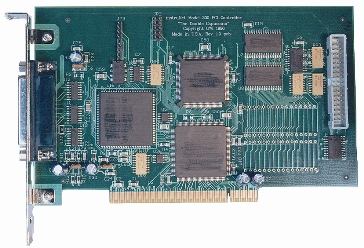
MODEL i200
PRODUCT LIST > i200 >
The Model 200 instruNet Controller boards attach to personal computers via an expansion slot to drive an instruNet network,
and to provide several Digital Timer I/O channels at a 34-pin connector, as illustrated in the below figure. Table
6.1 describes the pins at the Controller 34-pin connector.

Fig 6.1a Model 200 instruNet Controller Connector Layouts.

Features
i2x0 Product Summary
i200 Counter/Timer Features
instruNet Product Family Overview
New Desktop Computers Compatible w/ i200
Specifications
Specifications for i200
Product Information
i2x0/i100 Maximum Sample Rates
Sample Rate Vs. Integration Time Vs. Noise
Outputs After Power On or Reset
Photographs of Typical i200 System
Getting Started
Installing instruNet Hardware & Software
Cabling Together instruNet Hardware
instruNet World Tutorial
Connecting to Sensors and Controls
Setting Up A Digitization
Working with the i200 Controller Digital Timer I/O Channels, Tutorial
Troubleshooting
Troubleshooting Hardware
i2x0 controller card is not seen by software or does not install correctly
instruNet World Software Shows an Error Alert Upon Launch
Software Updates
Upgrading to the latest iNet32.dll is quick and easy! (1MB download)
Related Information
Use Low Capacitance Cable to Maximize i2x0 Network Speed
Compatibility
Compatible Operating Systems and Buses
Compliance Certificate, Year 2000
|